For Android · Android 7.0 or later

ScamProtect
A second look at every SMS and call, before your next tap, reply or payment.
ScamProtect rates incoming messages and calls, warns you when something looks like a scam and tells you why, and lets you block and report scammers so others are warned too.
ScamProtect is in final testing. The Google Play link will appear here as soon as it's published.
Inside ScamProtect
One app for your messages, calls and links.
From a fake "you've won" SMS to a caller pretending to be your bank, see how ScamProtect helps you spot it.
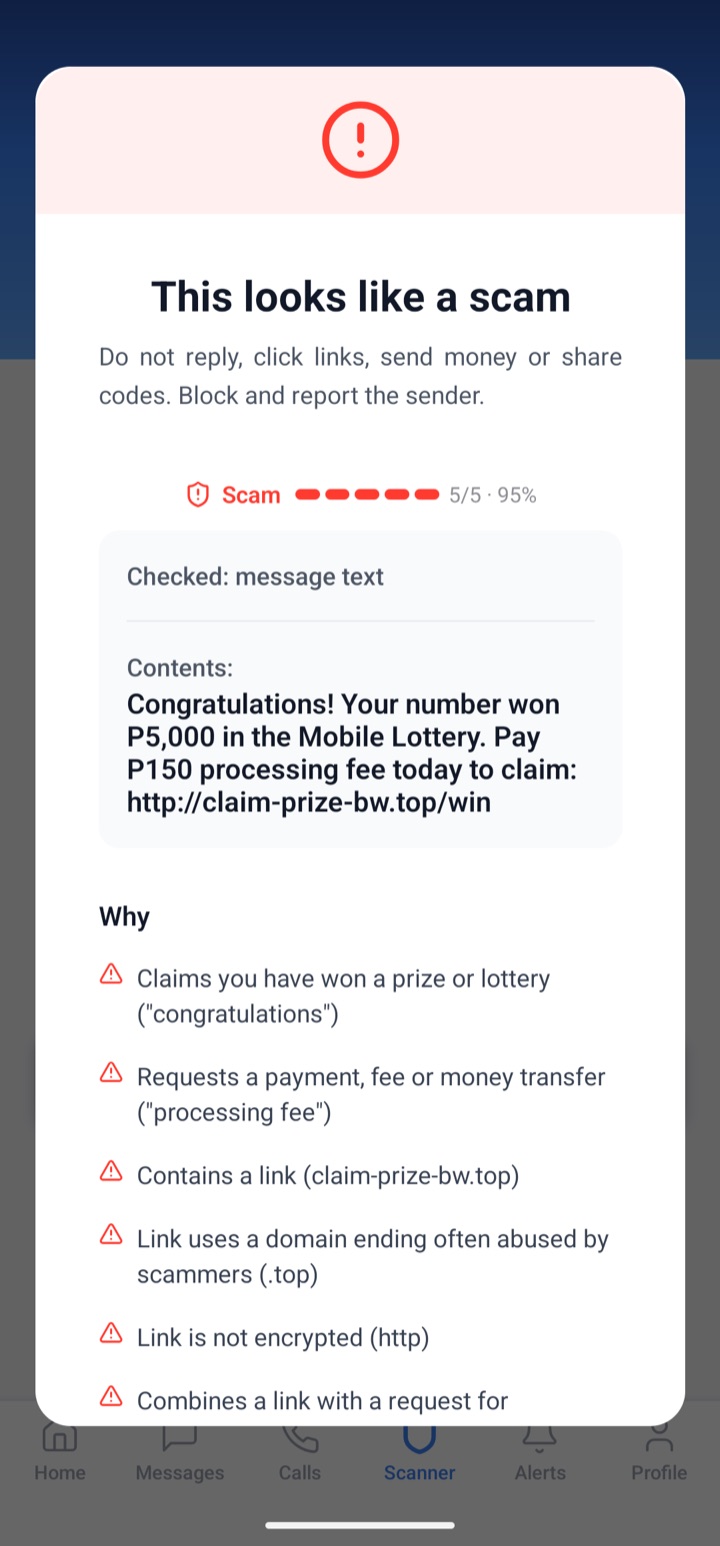
Not sure about a message? Check it first.
Paste a message, phone number or link into the Scanner. ScamProtect rates it from 1 (safe) to 5 (scam) and tells you exactly why.
- Spots prize offers, loan offers and requests for your PIN
- Flags links that hide where they go
- Tells you what to do next
Screenshots from ScamProtect for Android. The numbers and messages shown are test data. Ratings are guidance, not a guarantee.
Why ScamProtect asks for permissions
Android asks you to allow each of these the first time it's needed. You can change them any time in your phone's settings.
SMS
To read incoming messages so they can be checked, and to show, send and receive SMS if you make ScamProtect your SMS app.
Phone and call log
To check incoming callers, label your recent calls and reject calls from numbers you've blocked.
Contacts
To show your contacts' names in conversations and calls. Your contact list stays on your phone.
Notifications
To warn you when a scam arrives and to keep protection running in the background.
Messages and caller numbers are sent to our checking service to be rated. Read the Privacy Policy for what is collected and how it's used.
Using an iPhone?
ScamProtect's SMS and call protection is built for Android, so there is no iPhone version. You can still learn the warning signs in the scam library and use the checking guidance on this site.